ASL Calibration
- Widgets -> ASL Calibration
The ASL Calibration widget is required to turn the perfusion images from ASL model fitting into physical units (ml/100g/min).
Basic data specification
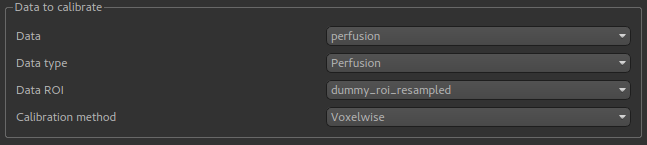
To do calibration you specify a data set containing a perfusion image. If you want to calibrate an image containing perfusion
variance, the Data type selection must be changed (because the scaling factors must be squared in this case).
Calibration methods
Two calibration methods are provided:
Voxelwisecalibration, in which an M0 correction factor is determined for each voxel from the calibration image.Reference regioncalibration, in which a single M0 correction factor is determined for the whole image, by analysing a region of the data containing a single tissue type (typically CSF).
Voxelwise calibration

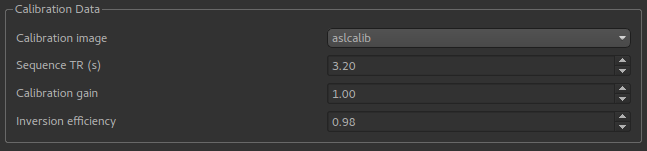
Voxelwise calibration requires a generic estimate of the T1 and the partition coefficient which will be applied to all voxels.
Reference region calibration
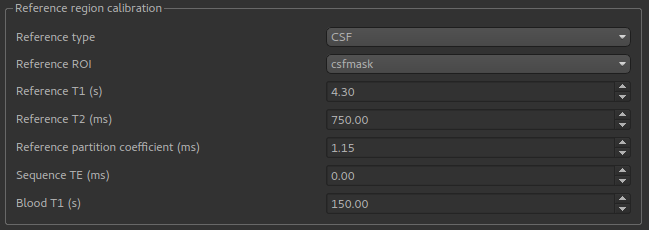
The reference region method requires a Reference ROI which identifies a particular tissue type. This would normally be
created by a segmentation tool such as FAST, however you could also use the ROI Builder to identify a region of the
calibration image of a known tissue type. CSF is the most common.
The T1, T2 and partition coefficient for this tissue type must be specified. Default values are provided for CSF, WM and GM. In addition the sequence TE and blood T1 estimates are required.
Output
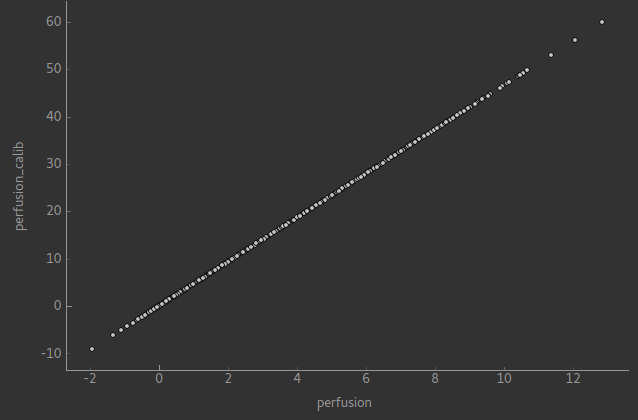
Calibration returns a new data set with the suffix _calib, for example perfusion_calib. In the case of reference region calibration, the calibrated image will simply be a scaled copy of the original perfusion image - as shown if we use the Compare Data widget:
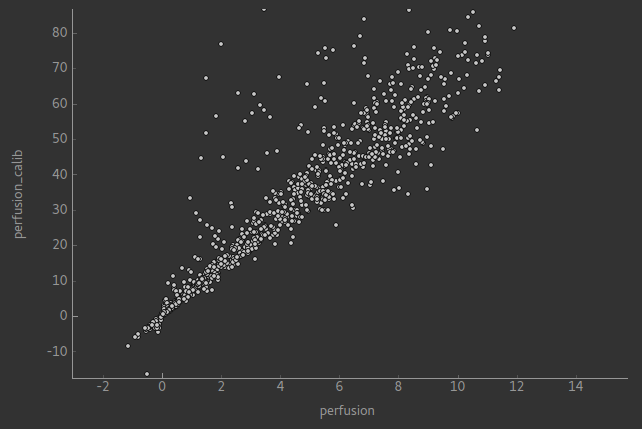
In voxelwise calibration this is not the case although there should still be an approximate linear relationship in the areas of interest - the comparison below is within a brain mask: